

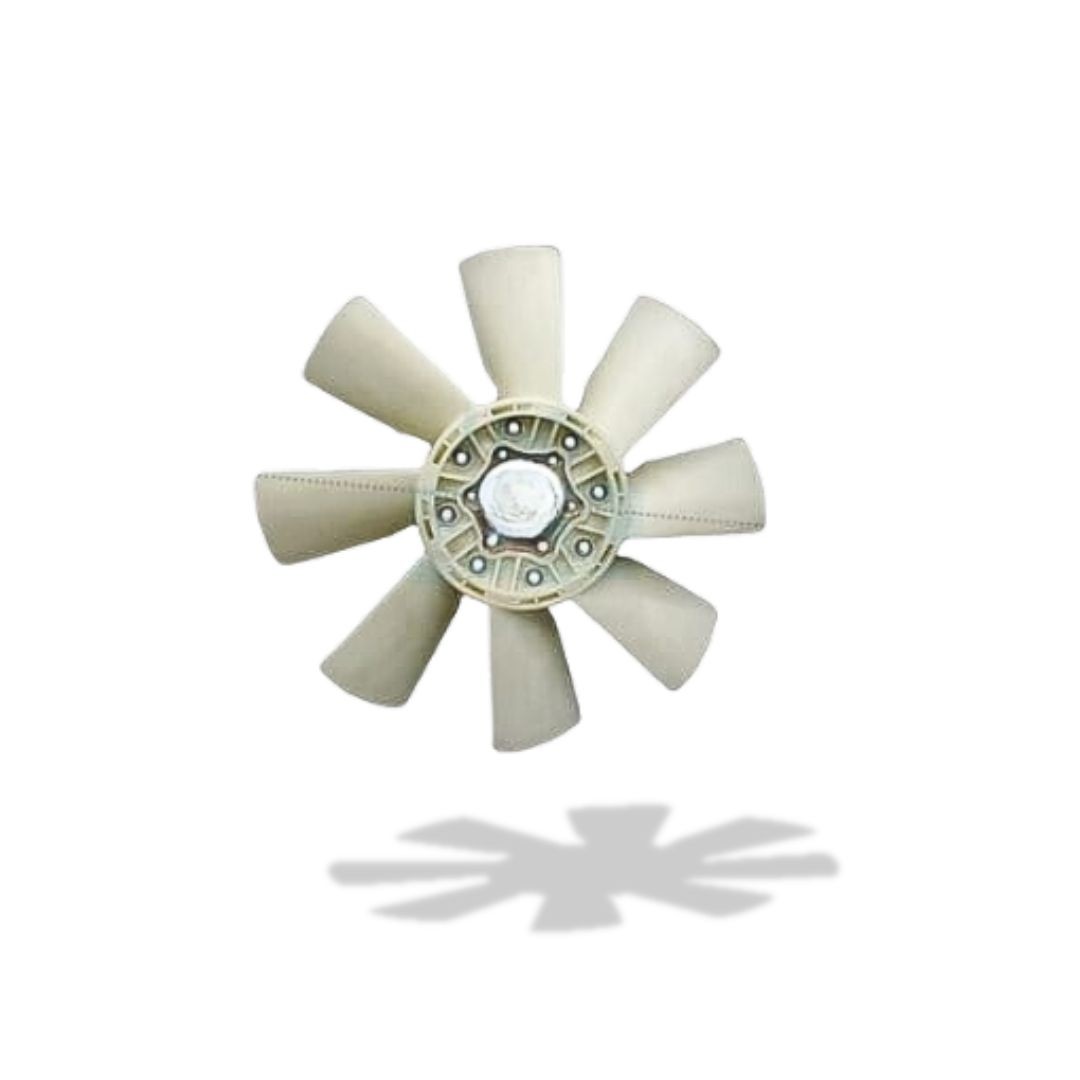
Radiator Cooling Fan Hino FM1J 24″
(0
reviews)
Inhouse product
Price
Share

Reviews & Ratings
0
out of 5.0
(0
reviews)
There have been no reviews for this product yet.
The radiator cooling fan on the Hino FM1J truck, particularly the 24-inch variant, is a crucial component for the engine's cooling system. It helps prevent the engine from overheating by drawing air through the radiator to dissipate heat from the engine coolant.
Key Details for the Radiator Cooling Fan on the Hino FM1J (24-inch):
Function:
- The primary role of the cooling fan is to increase airflow through the radiator. As the engine operates, it generates a lot of heat, and the fan ensures that the coolant system maintains the correct temperature by allowing heat to escape through the radiator.
- It is especially important during heavy-duty operation or in stop-and-go traffic, where airflow to the radiator may be limited.
Fan Size:
- The 24-inch fan size refers to the diameter of the fan blades. This is important because a larger fan generally provides more airflow, which is necessary for cooling large engines found in trucks like the Hino FM1J.
Types of Fans:
Mechanical Fan:
- In many trucks like the Hino FM1J, the fan may be mechanically driven, meaning it is connected to the engine via a belt or v-belt and pulley system.
- The fan speed typically increases with engine speed since it’s driven by the engine itself.
Electric Fan (less common but possible in some configurations):
- If the fan is electric, it will be powered by the truck's electrical system. Electric fans are often controlled by a thermostat or a temperature sensor that activates the fan when the engine reaches a certain temperature.
Fan Components:
- Fan Blades: Typically made from composite materials like plastic or fiberglass for durability, the fan blades help push air through the radiator. Damaged blades can cause reduced airflow and cooling efficiency.
- Fan Hub/Clutch: For mechanical fans, the hub or clutch connects the fan blades to the engine. The clutch allows the fan to freewheel at higher engine speeds, reducing engine load when cooling is not needed.
- Fan Shroud: The shroud directs air into the radiator and prevents air from bypassing it. A damaged or improperly fitted shroud can significantly reduce the cooling efficiency.
Common Issues:
Fan Failure:
- In electric fans, failure to start could be due to blown fuses, faulty temperature sensors, or a defective motor.
- For mechanical fans, common issues include worn-out fan belts, fan clutch failure, or broken or cracked fan blades.
Excessive Noise:
- Unusual noises such as grinding, scraping, or rattling might indicate that the fan blades are damaged, or the fan motor or bearings (in mechanical systems) are failing.
Overheating:
- If the engine is overheating, and the fan appears to be malfunctioning, it could be due to a faulty fan, damaged fan blades, broken fan belt, or issues with the radiator or coolant.
Reduced Cooling Efficiency:
- If the fan blades are dirty or obstructed, they will not perform optimally. This can happen if debris, such as mud or dust, gets caught in the blades.
- A broken fan shroud or loose fan mounting can result in air bypassing the radiator, which reduces the fan's ability to cool the engine.
Maintenance and Inspection:
- Inspect Fan Blades: Check the 24-inch fan blades for cracks, chips, or other visible damage. Even small imperfections can affect the airflow and cooling efficiency.
- Check Fan Belt (for mechanical fans): Inspect the belt for wear or cracks. A worn or damaged belt should be replaced immediately. The belt should have the proper tension to ensure the fan operates correctly.
- Inspect Fan Motor (for electric fans): In electric fan systems, inspect the motor for functionality. Ensure there are no worn-out bearings, loose connections, or worn-out brushes.
- Clean the Fan Blades: If there’s excessive dirt, dust, or other debris, clean the blades to prevent imbalance and inefficiency.
- Examine Fan Clutch (if applicable): Check the fan clutch for wear. A faulty clutch may cause the fan to either not engage or engage too much, causing unnecessary drag on the engine.
Related products